

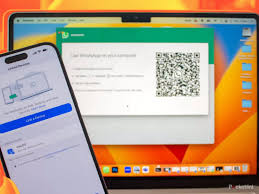
WhatsApp Web has become a popular tool for users who need to stay connected without switching between devices. Hundreds of people use automation tools like Zap Web to connect WhatsApp Web with other platforms and automate things. But one big question people often ask is whether these automation tools work on mobile devices, or are just restricted to desktop computers. In this article, we’ll talk about the functionality of WhatsApp Web for mobile, how Zap Web works, and whether mobile users can enjoy the same benefits as desktop users.
Understanding WhatsApp Web and Its Purpose
WhatsApp Web is basically just a browser-based copy of the WhatsApp app you have on your phone. All of your chats are saved to your browser when you scan a QR code from your smartphone. You can use it to type on a bigger screen, download files to your computer immediately, and be more focused when you’re typing on your laptop. When you pair WhatsApp Web with Zap Web, you can automate things like saving messages to Google Docs, sending reminders, or logring important conversations in a project management tool.
What Exactly is Zap Web?
Before we dive into whether mobile users will be able to do this setup, let’s define what Zap Web is. Zap Web is an automation platform that acts as a gateway between WhatsApp Web and other applications. It’s essentially looking out for certain trigger events like if your contact sends a message to a specific contact or email group—and then performing any action you want based on those triggers. For example, you could set Zap Web to automatically save voice notes to your device’s cloud storage or forward important client messages to your team’s Slack channel.
The Desktop Advantage with Zap Web
Most Zap Web workflows are optimized for desktop browsers because WhatsApp Web itself is built to run beautifully on a larger screen. Desktops also give the browser a more constant session to maintain, allows better network stability, and allows you to run background tasks without interruption. You know what you’re getting when you use Zap Web on a computer: the screen on your phone won’t hang or take out too much battery.
Challenges of Using Zap Web on Mobile
Technically you are able to open WhatsApp Web in a mobile browser. This is not the smoothest experience. Usually they switch to the app and/or only display part of the interface. This stops the automation process in its tracks. Zap Web requires an active and stable session in the browser to detect messages in real-time which can be challenging on a mobile device. Automations can also consume more battery by running them while the browser is minimized.
Possible Workarounds for Mobile Users
Even though desktop is still the best way to go, there are workarounds if you’re going to be using Zap Web via your mobile device. Sometimes people enable desktop mode in their mobile browsers so they’ll be able to use the full WhatsApp Web interface. Other times users use remote desktop apps to connect to a computer running WhatsApp Web with Zap Web enabled. These aren’t quite the same as direct desktop access, but they can still keep your automations running while you’re not on your PC.
Best Practices for Reliable Zap Web Automation
You want to make sure your primary device is always on a good network. Make sure that you have your phone online every day because the WhatsApp Web app needs to know where its contacts are located (this is why you’ll want your phone online). At the very least, create a tab in your browser for WhatsApp Web, and never close it during the day. Test your Zap Web automations regularly to make sure that they are still running as expected and adjust triggers/actions as needed based on how you work.
Why Desktop Remains the Recommended Option
Ultimately, desktop is still the best option for ensuring regular and reliable running of Zap Web. Because it is always active and uninterrupted while your WhatsApp Web session runs vital for any time-sensitive automations. Mobile solutions might work OK for a short time but they are generally less efficient and reliable in general. If you’re a business user and use Zap Web for communication with clients, reporting and task management, then it is strongly recommended to set up a desktop environment.
Final Thoughts
So can you zap WhatsApp Web on mobile, or can you only do it on desktop? The short answer is that yes, but it’s not ideal. Mobile web browsers don’t have enough memory to maintain persistent sessions on WhatsApp Web, and therefore they make automations less effective. Since automation is a crucial part of your workflow, running Zap Web on your desktop computer is by far the most secure option. If you have to run Zap Web on a mobile device, you can continue using it as a backup but for smooth performance, a desktop will give you the best results.
